
API Gateway vs. Load Balancer vs. Reverse Proxy: What's the Difference?
Deep Dive: Why Rate Limiting Belongs at the Gateway, Not the Load Balancer
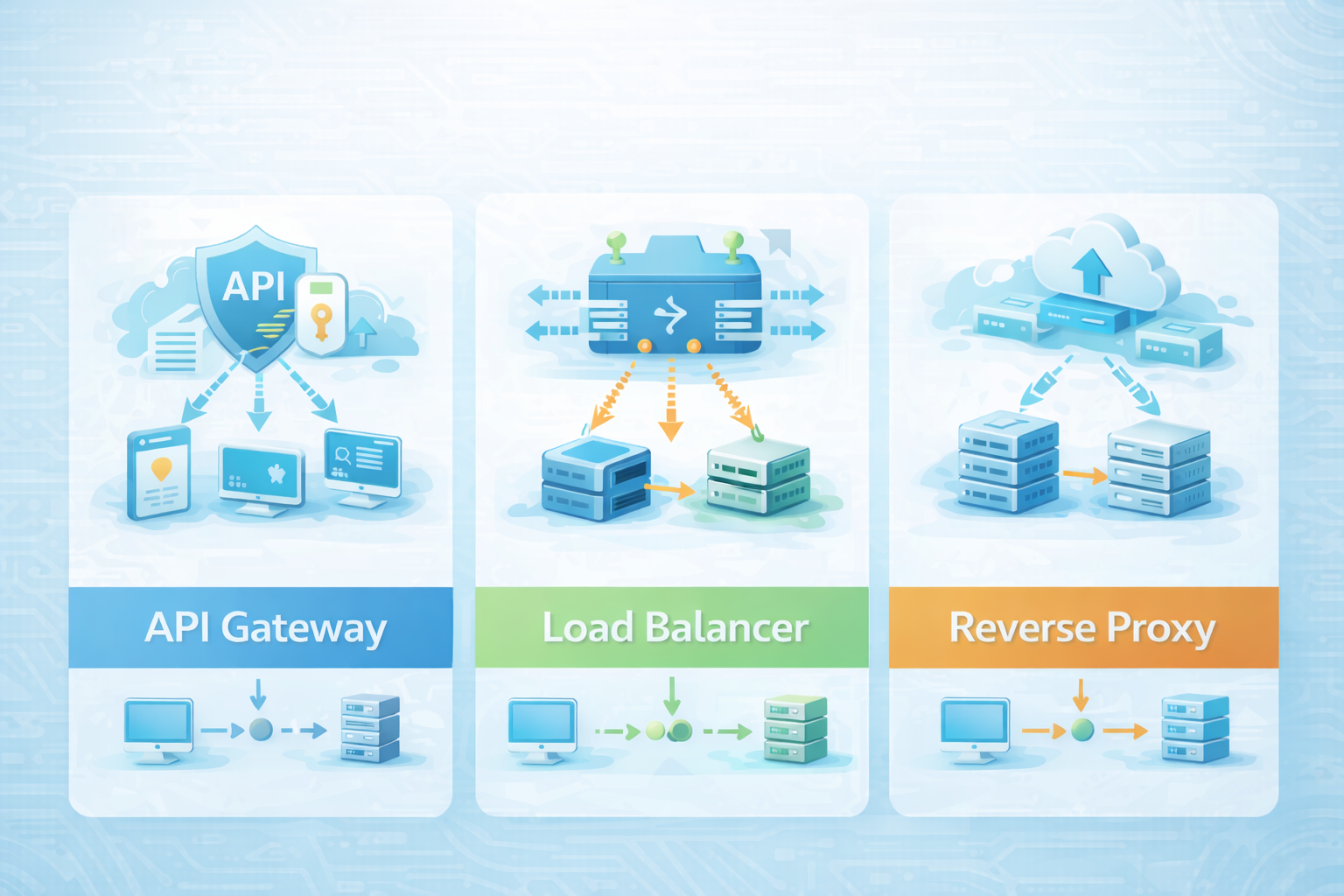
A Reverse Proxy hides your servers and handles caching/SSL.
🎯 System Scenario & Requirements
System Goal
A Reverse Proxy hides your servers and handles caching/SSL.
Actors & Components
- Application or API tier
- Core service under design
- Operator or SRE observer
Functional Requirements
- TLDR: A Reverse Proxy hides your servers and handles caching/SSL.
- A Load Balancer spreads traffic across server instances.
- An API Gateway manages API concerns — auth, rate limiting, routing, and protocol translation.
Constraints & Assumptions
- Operational latency, consistency levels, and network partition boundaries must be enforced under production load.
⚡ Execution Stages & Decision Trace
Stage 1 — Core Mechanics: What Each Layer Actually Does to Requests
Understanding the mechanics helps you choose the right tool and configure it correctly.
Reverse proxy mechanics: The proxy receives the client's request and opens a new connection to the backend on the client's behalf.
Deep Dive
Scenario context
A Reverse Proxy hides your servers and handles caching/SSL. A Load Balancer spreads traffic across server instances. An API Gateway manages API concerns — auth, rate limiting, routing, and protocol translation. Modern tools (Nginx, AWS ALB, Kong) often combine all three, but understanding what each layer does independently is essential for system design.
Core API Gateway responsibilities:
| Fe…
This walkthrough focuses on Deep Dive: Why Rate Limiting Belongs at the Gateway, Not the Load Balancer.
Before making a design choice, clarify:
- Reverse proxies and L4 load balancers are stateless — they route packets without knowing anything about the user making the request.
- An API Gateway is stateful per consumer: it tracks request counts against rate-limit quotas, validates JWT claims, and maps API keys to consumer identities.
- This per-user state is what makes rate limiting possible at the gateway layer but not at the load balancer — which sees only connections, not identities.
Concepts in play: load-balancing, api-gateway, rate-limiting, api-security-oauth2
Stage 1 — Core Mechanics: What Each Layer Actually Does to Requests
- Understanding the mechanics helps you choose the right tool and configure it correctly.
- Reverse proxy mechanics: The proxy receives the client's request and opens a new connection to the backend on the client's behalf.
- The backend only ever sees the proxy's IP.
- SSL is terminated at the proxy — the backend connection can be plain HTTP internally.
flowchart LR
    TR[Incoming Traffic] --> LB[Load Balancer L4]
    TR --> RP[Reverse Proxy L7]
    TR --> GW[API Gateway L7+]
    LB --> SV[Backend Servers]
    RP --> SV
    GW --> AU[Auth + Rate Limit]
    AU --> MS[Microservices]
Observable outcome: SSL is terminated at the proxy — the backend connection can be plain HTTP internally.
Stage 2 — How a Request Travels Through All Three Layers
- The three layers handle distinctly different concerns as the request descends: 1.
- Reverse Proxy handles transport: SSL decryption, static caching, DDoS absorption.
- Load Balancer handles distribution: which instance handles this request, and is that instance healthy?
- API Gateway handles application policy: who is this user, are they allowed, which service should respond?
flowchart TD
    Client[Browser / Mobile Client] --> RP[Reverse Proxy Nginx  SSL, cache, compress]
    RP -->|Cache miss or dynamic| LB[Load Balancer AWS ALB  distribute traffic]
    LB --> GW[API Gateway Kong  auth, rate limit, route]
    GW --> US[User Service : 8080]
    GW --> OS[Order Service : 8081]
    GW --> PS[Payment Service : 8082]
    US -->|health 200| LB
    OS -->|health 200| LB
    PS -->|health 503| LB
    LB -.->|removed from pool| PS
Observable outcome: API Gateway handles application policy: who is this user, are they allowed, which service should respond?
Stage 3 — Real-World Applications: Real-World Deployment Patterns
- Most production stacks do not cleanly separate these three layers into distinct products — they use tools that collapse two or three roles, but the logical separation still matters for debugging and ownership: Netflix u…
- Each layer is independently operable — an Nginx config change doesn't touch auth policy, and a Zuul plugin update doesn't affect load-balancing weights.
- Stripe runs a similar topology: Nginx terminates SSL and absorbs volumetric floods, HAProxy distributes to API pods, and their internal gateway enforces the API key validation and per-customer rate limits that power the…
- The clean separation means their platform team can own rate-limiting policy without touching the Nginx configurations owned by the infra team.
Observable outcome: The clean separation means their platform team can own rate-limiting policy without touching the Nginx configurations owned by the infra team.
Stage 4 — Practical Configuration Guide
- Scenario: Adding rate limiting to a new endpoint without touching application code.
- No code change to the Order Service.
- The gateway enforces both auth and rate limiting declaratively.
- Scenario: Checking if a server is actually removed from the load balancer pool.
# Kong declarative config — add rate limiting to /v1/orders
services:
  - nam
e: order-service
    url: http://orders:8081
    routes:
      - nam
e: orders-route
        paths: ["/v1/orders"]
    plugins:
      - nam
e: rate-limiting
        config:
          minute: 60        # 60 requests per minute per consumer
          policy: redis     # shared state across gateway instances
      - nam
e: jwt           # auth before rate limiting
# AWS ALB — list target health for a target group
aws elbv2 describe-target-health \
  --target-group-arn arn:aws:elasticloadbalancing:us-east-1:...

# Output shows which instances are "healthy", "unhealthy", or "draining"
Observable outcome: Scenario: Checking if a server is actually removed from the load balancer pool.
Stage 5 — What to Learn Next
- System Design Networking: DNS, CDNs, and Load Balancers - System Design Core Concepts: Scalability, CAP, and Consistency - Webhooks Explained: Don't Call Us, We'll Call You
Observable outcome: - System Design Networking: DNS, CDNs, and Load Balancers - System Design Core Concepts: Scalability, CAP, and Consistency - Webhooks Explained: Don't Call Us, We'll Call You
Stage 6 — Spring Cloud Gateway: Routing, Rate Limiting, and Auth Filters in Java
- Spring Cloud Gateway (SCG) is a reactive, non-blocking API gateway built on Spring WebFlux that implements the API Gateway layer described in this post — routing, rate limiting, authentication, and circuit breaking — wi…
- Routes are declared in application.yml (or a Java DSL); filters attach cross-cutting policy to each route.
- SCG integrates natively with Spring Security for JWT validation, Redis for distributed rate-limit counters, and Resilience4j for circuit breaking.
- The Order Service and User Service require zero code changes — rate limiting, circuit breaking, and JWT extraction are enforced entirely at the gateway layer via configuration.
# application.yml — Spring Cloud Gateway declarative route configuration
spring:
  cloud:
    gateway:
      routes:
        # Route 1: user-service — auth + rate limiting
        - id: user-service
          uri: lb://user-service          # lb:// resolves via Eureka/Kubernetes
          predicates:
            - Path=/v1/users/**
          filters:
            - nam
e: RequestRateLimiter
              args:
                redis-rate-limiter.replenishRate: 100   # 100 req/sec baseline
                redis-rate-limiter.burstCapacity: 200   # allows short bursts
                key-resolver: "#{@userKeyResolver}"     # rate-limit per user ID

        # Route 2: order-service — circuit breaker + header rewrite
        - id: order-service
          uri: lb://order-service
          predicates:
            - Path=/v1/orders/**
          filters:
            - nam
e: CircuitBreaker
              args:
                name: orderCB
                fallbackUri: forward:/fallback/orders
            - AddRequestHeader=X-Gateway-Source, spring-cloud-gateway
            - StripPrefix=1                              # remove /v1 before forwarding
// KeyResolver — rate-limit by authenticated user extracted from JWT claim
@Bean
public KeyResolver userKeyResolver() {
    return exchange -> exchange.getPrincipal()
        .map(java.security.Principal::getName)
        .defaultIfEmpty("anonymous");
}

// Fallback controller — called when circuit breaker trips
@RestController
public class FallbackController {
    @GetMapping("/fallback/orders")
    public ResponseEntity<Map<String, String>> orderFallback() {
        return ResponseEntity.status(HttpStatus.SERVICE_UNAVAILABLE)
            .body(Map.of("error", "Order service is temporarily unavailable"));
    }
}
Observable outcome: The Order Service and User Service require zero code changes — rate limiting, circuit breaking, and JWT extraction are enforced entirely at the gateway layer via configuration.
End-to-end outcome
Reverse proxies and L4 load balancers are stateless — they route packets without knowing anything about the user making the request.
Alternatives considered
Decision Guide: Choosing the Right Layer: Decision Guide
Decision Guide: Choosing the Right Layer: Decision Guide
Failure and degraded modes
The source does not isolate a separate failure mode. Limits that matter for the scenario are called out in the stage decisions above.